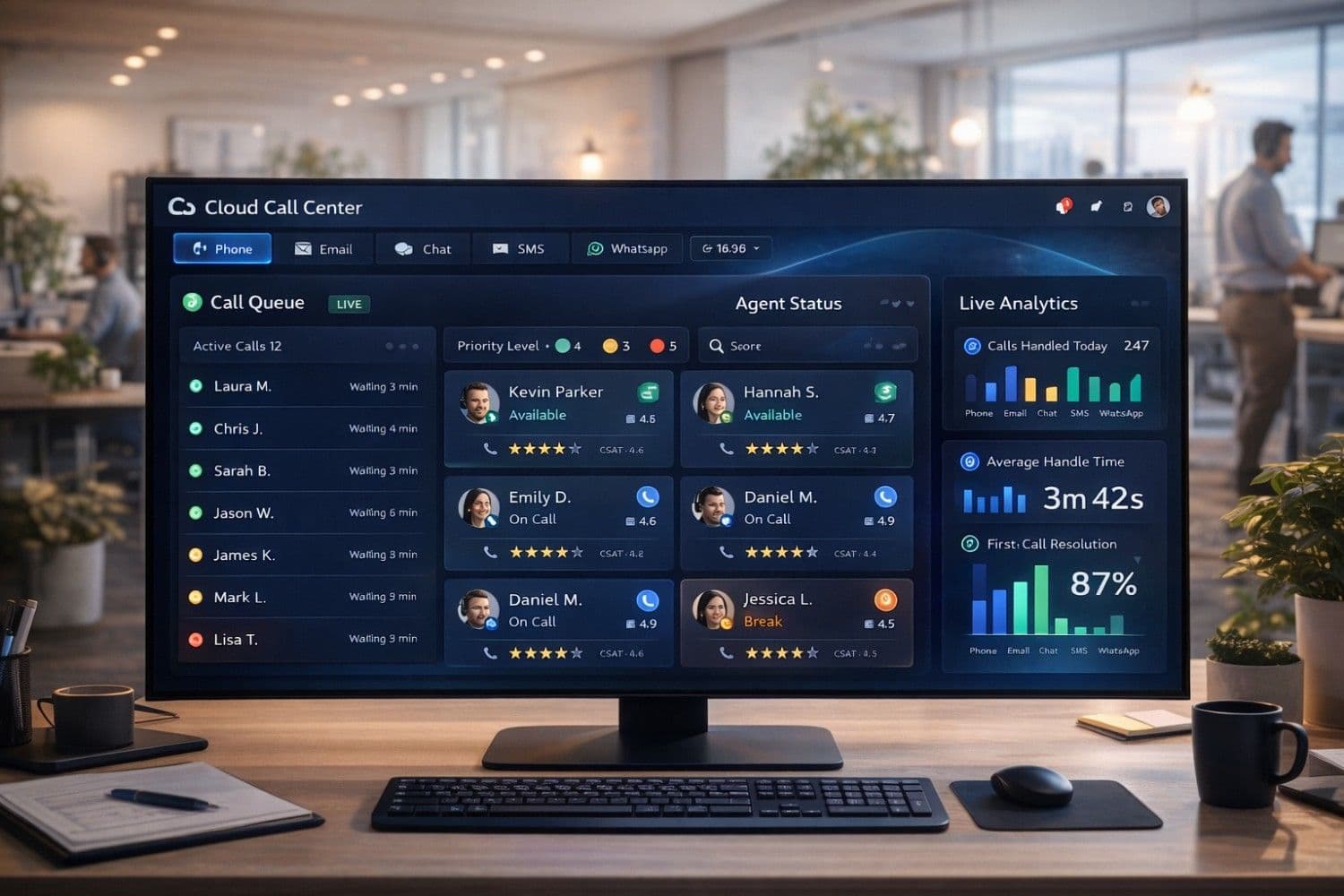
The global cloud contact center market is projected to reach $93.7 billion by 2029, growing at a staggering 21.3% CAGR—and small businesses are driving a significant share of that growth. In the United States, United Kingdom, Canada, Australia, and Germany, small business owners are rapidly abandoning expensive on-premise PBX systems in favor of cloud call center software that delivers enterprise-grade features at a fraction of the cost.
The reason is simple: cloud call center software eliminates the $50,000–$200,000 upfront hardware investment, replaces it with a predictable monthly subscription starting as low as $15 per agent, and lets your team work from anywhere with just a laptop and internet connection. For small businesses competing against larger enterprises for customers in Tier 1 markets, this is a genuine competitive equalizer.
But with dozens of platforms competing for your business, choosing the wrong cloud call center software can mean wasted budget, frustrated agents, and poor customer experiences. This expert guide cuts through the noise with in-depth reviews of the 8 best cloud call center solutions for small businesses in 2026, complete with pricing, feature comparisons, and a step-by-step buyer's guide.
Important
Quick Answer: For most small businesses, Aircall ($30/user/mo) offers the best balance of simplicity, integrations, and call quality. For budget-conscious teams, Freshdesk Contact Center ($15/agent/mo) delivers strong AI features at the lowest price point. For growing businesses needing omnichannel support, RingCentral is the gold standard.
Note
If you're also evaluating AI tools to handle customer inquiries automatically alongside your call center, our guide on How AI Agents Are Transforming Customer Support in 2026 covers the top AI platforms that integrate with cloud call centers.
What Is Cloud Call Center Software?
Cloud call center software (also called hosted or virtual call center software) is a customer communication platform delivered entirely over the internet—no physical hardware, no on-site servers, no expensive PBX equipment. Agents can make and receive calls, manage tickets, and collaborate with teammates from any device, anywhere in the world.
Cloud Call Center vs. Traditional On-Premise Systems
| Feature | Traditional On-Premise | Cloud Call Center |
|---|---|---|
| Upfront Cost | $50,000–$200,000+ | $0 (subscription only) |
| Monthly Cost | Low (after hardware) | $15–$100/agent/month |
| Setup Time | 3–6 months | 1–3 days |
| Remote Work | Limited/VPN required | Native, any device |
| Scalability | Expensive hardware upgrades | Add seats instantly |
| Maintenance | IT team required | Vendor-managed |
| Disaster Recovery | Manual, costly | Automatic, cloud-native |
| AI Features | Rare, expensive add-ons | Built-in standard |
| Integrations | Complex, custom-built | 100+ native integrations |
Pro Tip
Use our Email Writer to draft professional customer communication templates for your call center agents, and our Grammar Fix tool to polish scripts and email responses before deploying them across your team.
Why Small Businesses Are Switching to Cloud Call Centers in 2026
The Business Case Is Overwhelming
Small businesses in the US, UK, Canada, and Australia that switch to cloud call center software report:
- 62% reduction in communication infrastructure costs in the first year
- 3x faster agent onboarding — new hires are productive within hours, not weeks
- 28% improvement in first-call resolution rates thanks to AI-powered agent assist
- 41% reduction in average handle time through intelligent call routing and real-time guidance
- 99.99% uptime SLAs — more reliable than any on-premise system a small business could afford
Key Features That Drive ROI for Small Businesses
1. Intelligent Call Routing (IVR & ACD)
Automatic Call Distribution (ACD) routes incoming calls to the most qualified available agent based on skills, language, customer history, and priority. Interactive Voice Response (IVR) lets customers self-serve for common queries—reducing live agent workload by 30–40%.
2. Real-Time Analytics & Dashboards
Live dashboards show call queue length, average wait time, agent availability, and CSAT scores. Managers can monitor calls, whisper coaching to agents, or barge in when needed—all from a browser.
3. CRM Integration
Native integrations with Salesforce, HubSpot, Zoho, and Pipedrive automatically pull up customer records when a call comes in. Agents see full purchase history, previous tickets, and notes before saying"hello"—eliminating the frustrating"let me look up your account" experience.
4. Omnichannel Support
Modern cloud contact centers handle voice, email, live chat, SMS, WhatsApp, and social media from a single unified interface. Customers can switch channels mid-interaction without losing context.
5. AI-Powered Agent Assist
Real-time AI suggestions help agents respond faster and more accurately. The AI listens to the conversation, pulls relevant knowledge base articles, suggests responses, and flags compliance issues—all in real time.
Note
For a broader look at how AI is reshaping all areas of small business operations—from customer support to marketing automation—read our guide on How AI is Transforming Small Business Operations.
Best Cloud Call Center Software for Small Business: 2026 Comparison
Quick Comparison Table
| Platform | Best For | Starting Price | Free Trial | Key Differentiator |
|---|---|---|---|---|
| Aircall | SMBs & startups | $30/user/mo | 7 days | Easiest setup, 100+ integrations |
| Freshdesk Contact Center | Budget-conscious teams | $15/agent/mo | 21 days | Best value AI features |
| RingCentral MVP | Growing businesses | $20/user/mo | 14 days | Most complete UCaaS platform |
| Dialpad | AI-first teams | $15/user/mo | 14 days | Best real-time AI transcription |
| Nextiva | Customer experience focus | $18.95/user/mo | Demo | Best CSAT & analytics tools |
| Talkdesk | Retail & e-commerce | $75/agent/mo | Demo | Best AI automation & CX cloud |
| CloudTalk | International teams | $25/user/mo | 14 days | Best for global calling & local numbers |
| JustCall | Sales teams | $19/user/mo | 14 days | Best for outbound sales dialing |
---
1. Aircall — Best Overall for Small Businesses
Aircall is the go-to cloud call center for small businesses that want a professional phone system up and running in under an hour. With a clean, intuitive interface, 100+ native integrations, and exceptional call quality powered by WebRTC technology, Aircall consistently tops satisfaction surveys among SMB users in the US, UK, and Canada.
Why Small Businesses Love Aircall:
- Setup in under 20 minutes — no IT department required
- Shared call inbox — teams collaborate on calls without missing a single customer
- Power Dialer — sales teams can auto-dial prospect lists 3x faster
- Real-time activity feed — see exactly what every agent is doing at any moment
- Native integrations with HubSpot, Salesforce, Zendesk, Intercom, Slack, and 95+ more
Pricing:
- Essentials: $30/user/month (3 users minimum) — unlimited calls, IVR, call recording
- Professional: $50/user/month — power dialer, advanced analytics, Salesforce integration
- Custom: Enterprise pricing for 25+ users
Best For: E-commerce, SaaS, professional services, and any small business that values simplicity and fast deployment.
Pro Tip
Pair Aircall with our Text Summarizer to quickly condense long call recordings into actionable summaries, and use our Email Writer to draft follow-up emails to customers after calls.
---
2. Freshdesk Contact Center (Freshcaller) — Best Value for Budget Teams
Freshdesk Contact Center (formerly Freshcaller) is part of the Freshworks ecosystem and offers the most generous free tier and lowest entry price of any enterprise-quality cloud call center. The platform's AI features—including Freddy AI for call transcription, sentiment analysis, and agent coaching—are included at price points where competitors charge significantly more.
Why Small Businesses Love Freshdesk Contact Center:
- Free plan available — unlimited agents, pay only for minutes used
- Freddy AI — real-time call transcription, sentiment detection, and post-call summaries
- Omnichannel — voice, email, chat, and WhatsApp from one dashboard
- Smart escalations — AI automatically escalates frustrated customers to senior agents
- Seamless Freshdesk integration — tickets created automatically from every call
Pricing:
- Free: $0/agent/month — unlimited agents, pay per minute for calls
- Growth: $15/agent/month — IVR, call recording, basic analytics
- Pro: $39/agent/month — advanced routing, AI features, omnichannel
- Enterprise: $69/agent/month — custom reporting, dedicated support
Best For: Startups, budget-conscious teams, and businesses already using Freshdesk for ticketing.
---
3. RingCentral MVP — Best for Growing Businesses
RingCentral is the most comprehensive Unified Communications as a Service (UCaaS) platform available, combining cloud calling, video meetings, team messaging, and contact center capabilities in a single platform. For small businesses that anticipate rapid growth, RingCentral's enterprise-grade infrastructure and 99.999% uptime SLA provide the reliability foundation to scale confidently.
Why Small Businesses Love RingCentral:
- All-in-one — phone, video, messaging, and contact center in one subscription
- 99.999% uptime SLA — less than 5 minutes of downtime per year
- 300+ integrations — the largest integration ecosystem of any UCaaS provider
- AI-powered meetings — automatic transcription, action items, and meeting summaries
- Global reach — local numbers in 100+ countries for international businesses
Pricing:
- Core: $20/user/month — unlimited calls, SMS, video meetings
- Advanced: $25/user/month — advanced analytics, CRM integrations
- Ultra: $35/user/month — unlimited storage, device analytics, premium support
Best For: Growing businesses that want a single vendor for all communications, and teams with remote or distributed workforces.
Note
If you're comparing AI models to power your customer service operations alongside RingCentral, our guide on ChatGPT vs Claude vs Gemini for Business helps you choose the right AI backbone for your workflows.
---
4. Dialpad — Best for AI-First Teams
Dialpad has built its entire platform around artificial intelligence, making it the most AI-native cloud call center solution available in 2026. Its proprietary DialpadGPT model provides real-time call transcription, live sentiment analysis, automatic action item extraction, and AI-generated call summaries—all without any third-party AI integration required.
Why Small Businesses Love Dialpad:
- Real-time AI transcription — every word transcribed live during the call
- Live sentiment analysis — color-coded emotional indicators for every caller
- Automatic call summaries — AI generates a structured summary after every call
- AI coaching — real-time suggestions pop up when agents need help
- Built-in video meetings — no Zoom subscription needed
Pricing:
- Standard: $15/user/month — unlimited calling, AI transcription, basic analytics
- Pro: $25/user/month — CRM integrations, international numbers, advanced analytics
- Enterprise: Custom — SSO, advanced security, dedicated support
Best For: Sales teams, tech-forward businesses, and organizations that want cutting-edge AI without complex integrations.
---
5. Nextiva — Best for Customer Experience Focus
Nextiva has built its reputation on delivering exceptional customer experience tools alongside its cloud phone system. The platform's Customer Experience Score (CES) feature aggregates data from every customer interaction—calls, emails, chats, surveys—into a single health score that helps small businesses identify at-risk customers before they churn.
Why Small Businesses Love Nextiva:
- Customer Experience Score — unified view of every customer's satisfaction level
- Workflow automation — trigger follow-up emails, tasks, and surveys automatically after calls
- Nextiva Analytics — 40+ pre-built reports on call volume, agent performance, and CSAT
- Excellent US-based support — 24/7 phone, chat, and email support with real humans
- Reliable call quality — 8 data centers across North America for low-latency calls
Pricing:
- Essential: $18.95/user/month — unlimited calls, voicemail, mobile app
- Professional: $22.95/user/month — CRM integrations, conference calling, screen sharing
- Enterprise: $32.95/user/month — call recording, voicemail transcription, advanced analytics
Best For: Service businesses, healthcare practices, and any small business where customer retention is the top priority.
---
6. CloudTalk — Best for International Small Businesses
CloudTalk is purpose-built for small businesses that operate across multiple countries or serve international customers. With local phone numbers in 160+ countries, automatic timezone detection, and multilingual IVR support, CloudTalk eliminates the complexity of managing international communications.
Why Small Businesses Love CloudTalk:
- 160+ country coverage — local numbers in virtually every major market
- Smart dialer — automatically detects the best time to call based on customer timezone
- Call flow designer — drag-and-drop IVR builder requires no technical knowledge
- Real-time dashboard — live monitoring of all agents across all locations
- Wallboard — public display of team metrics to drive performance
Pricing:
- Starter: $25/user/month — unlimited inbound calls, 3 users minimum
- Essential: $30/user/month — advanced analytics, integrations, call recording
- Expert: $50/user/month — power dialer, Salesforce integration, custom reporting
- Custom: Enterprise pricing for large teams
Best For: E-commerce businesses with international customers, agencies with global clients, and businesses expanding into new markets.
---
7. JustCall — Best for Outbound Sales Teams
JustCall is specifically optimized for outbound sales teams, with a suite of power dialing tools, sales scripts, and coaching features that help small sales teams punch above their weight. The platform's AI Sales Coach analyzes every call and provides personalized coaching recommendations to help reps improve their close rates.
Why Small Businesses Love JustCall:
- Auto Dialer & Power Dialer — call 3x more prospects per day
- AI Sales Coach — personalized coaching based on actual call performance
- Sales scripts — on-screen scripts that update dynamically based on conversation
- SMS campaigns — automated SMS follow-ups after calls
- CRM sync — automatic call logging to HubSpot, Salesforce, Pipedrive, and 100+ CRMs
Pricing:
- Essentials: $19/user/month — unlimited calls, SMS, basic analytics
- Team: $29/user/month — power dialer, AI features, advanced integrations
- Pro: $49/user/month — predictive dialer, advanced AI coaching, custom reporting
Best For: B2B sales teams, insurance agencies, real estate businesses, and any outbound-heavy operation.
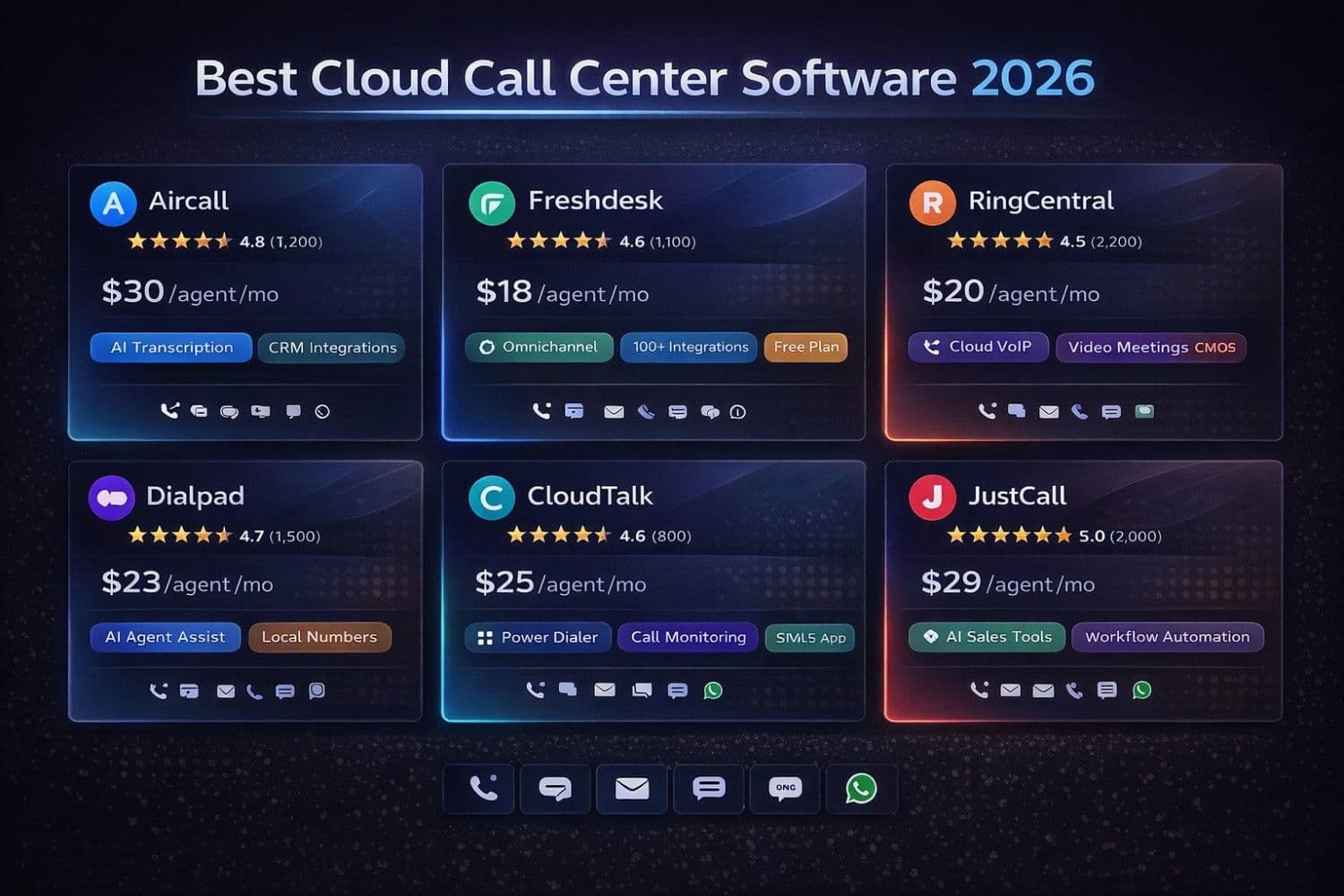
Cloud call center software comparison dashboard showing agent performance metrics, call queue analytics, customer satisfaction scores, and omnichannel communication channels for small business teams
How to Choose the Right Cloud Call Center Software: Buyer's Guide
Step 1: Define Your Primary Use Case
Before evaluating platforms, be crystal clear about your primary use case:
- Inbound support center → Prioritize IVR quality, ticket integration, and omnichannel (Freshdesk, Nextiva)
- Outbound sales team → Prioritize power dialing, CRM sync, and call coaching (JustCall, Aircall)
- Mixed inbound/outbound → Prioritize flexibility and analytics (RingCentral, Dialpad)
- International operations → Prioritize global number coverage and multilingual IVR (CloudTalk)
- AI-first approach → Prioritize real-time transcription and AI coaching (Dialpad, Talkdesk)
Step 2: Calculate Your True Cost
Cloud call center pricing can be deceptive. Beyond the per-agent monthly fee, budget for:
- International calling rates — typically $0.01–$0.05/minute for outbound international calls
- Local number fees — $1–$5/month per additional local number
- SMS/text messaging — $0.01–$0.05 per message
- Call recording storage — some platforms charge after 30–90 days
- Premium integrations — Salesforce integration often requires a higher-tier plan
- Onboarding/training — enterprise plans typically include this; SMB plans may not
Caution
Watch for minimum seat requirements. Most cloud call center platforms require a minimum of 3–5 agents. If you're a solo operator or 2-person team, look for platforms with no minimums (Freshdesk free plan, JustCall Essentials).
Step 3: Evaluate Integration Compatibility
Your cloud call center must integrate seamlessly with your existing tech stack. Check compatibility with:
- CRM: Salesforce, HubSpot, Zoho, Pipedrive
- Helpdesk: Zendesk, Freshdesk, Intercom, Help Scout
- E-commerce: Shopify, WooCommerce, Magento
- Communication: Slack, Microsoft Teams, Google Workspace
- Productivity: Zapier, Make (Integromat), Monday.com
Step 4: Test Call Quality Before Committing
Call quality is non-negotiable. During your free trial, test:
- Inbound call clarity — make test calls from different networks (WiFi, cellular, VPN)
- International call quality — if you serve global customers, test calls to/from target countries
- Mobile app performance — agents working remotely need reliable mobile call quality
- Video call quality — if the platform includes video meetings, test with your team
Pro Tip
Use our Essay Writer to create comprehensive call center agent training materials and knowledge base articles, and our Paraphraser to generate multiple versions of call scripts for A/B testing.
Cloud Call Center Software: Essential Features Checklist
Use this checklist when evaluating any cloud call center platform:
Core Calling Features ✓
- [ ] Unlimited inbound calls (or generous minute bundles)
- [ ] IVR (Interactive Voice Response) with multi-level menus
- [ ] ACD (Automatic Call Distribution) with skills-based routing
- [ ] Call recording with searchable transcripts
- [ ] Voicemail with email/SMS notification
- [ ] Call transfer (warm and cold), conference calling
- [ ] Hold music and custom on-hold messages
Agent Productivity Features ✓
- [ ] Real-time call monitoring (listen, whisper, barge)
- [ ] Agent availability status (available, busy, break, offline)
- [ ] Click-to-call from CRM or browser
- [ ] Call notes and disposition codes
- [ ] After-call work (ACW) timer
- [ ] Power dialer or auto-dialer for outbound teams
Analytics & Reporting ✓
- [ ] Real-time dashboard with live queue metrics
- [ ] Historical reporting (call volume, handle time, CSAT)
- [ ] Agent performance scorecards
- [ ] Call recording playback and quality scoring
- [ ] SLA tracking and alerts
AI & Automation Features ✓
- [ ] Real-time call transcription
- [ ] Sentiment analysis and emotion detection
- [ ] AI-generated call summaries
- [ ] Chatbot/voicebot for self-service
- [ ] Predictive routing based on customer history
Note
For businesses evaluating help desk software to pair with their cloud call center, our comprehensive guide on Best Help Desk Software for Small Business covers the top platforms with native call center integrations.
Cloud Call Center Implementation: Getting Started in 3 Days
Day 1: Account Setup & Configuration
Morning (2–3 hours):
- Sign up and choose your plan (start with the free trial)
- Port your existing business phone number or get a new local number
- Set up your IVR menu structure (keep it simple: max 3 levels)
- Configure business hours and after-hours routing
Afternoon (2–3 hours):
- Create agent accounts and set up teams/groups
- Configure call recording settings and storage
- Connect your CRM integration
- Set up voicemail greetings and on-hold music
Day 2: Agent Training & Testing
Morning (3–4 hours):
- Train agents on the desktop app and mobile app
- Practice call transfers, conference calls, and note-taking
- Test IVR flows with real calls from different devices
- Configure agent availability statuses and schedules
Afternoon (2 hours):
- Run quality test calls from different networks
- Verify CRM integration is logging calls correctly
- Set up real-time dashboard for supervisor monitoring
- Create call disposition codes and after-call workflows
Day 3: Go Live & Monitor
- Switch your main business number to the new system
- Monitor the real-time dashboard closely for the first 4 hours
- Collect agent feedback on call quality and interface usability
- Review first-day analytics and adjust routing rules as needed
Pro Tip
After your call center is live, use our Caption Generator to create social media announcements about your improved customer support, and our Bio Generator to build professional profiles for your support team on your website.
Cloud Call Center Software: ROI Calculator for Small Businesses
Here's how the economics work for a typical 5-agent small business call center:
| Cost Category | Traditional On-Premise | Cloud Call Center | Annual Savings |
|---|---|---|---|
| Hardware/PBX | $15,000 (amortized) | $0 | $15,000 |
| IT maintenance | $8,400/year | $0 | $8,400 |
| Software licenses | $3,600/year | Included | $3,600 |
| Cloud subscription | N/A | $9,000/year (5 agents × $150/mo) | — |
| Remote work capability | $2,400/year (VPN) | Included | $2,400 |
| Total Annual Cost | $29,400 | $9,000 | $20,400 |
Beyond direct cost savings, cloud call centers deliver productivity gains that compound over time:
- 30% reduction in average handle time through AI-powered agent assist
- 25% improvement in first-call resolution through intelligent routing
- 40% reduction in agent training time through real-time coaching
- 23% lower customer churn through faster, more personalized service
The Future of Cloud Call Centers: 2026–2028 Trends
1. AI-Native Contact Centers
By 2027, the distinction between"AI-assisted" and"AI-native" call centers will define market leaders. Platforms like Dialpad and Talkdesk are building AI directly into the call flow—not as an add-on, but as the core intelligence layer. Expect real-time AI to handle 40–60% of routine inquiries autonomously.
2. Voice Biometrics for Authentication
Customers will authenticate their identity through voice recognition instead of passwords and security questions—reducing handle time by 45 seconds per call and eliminating fraud risk.
3. Predictive Engagement
AI will proactively reach out to customers before they call with problems. A cloud call center will detect that a customer's order is delayed and automatically send an SMS with options—before the customer even realizes there's an issue.
4. Hyper-Personalization at Scale
Every customer interaction will be informed by a 360-degree profile combining purchase history, support history, sentiment trends, and behavioral data—enabling agents to deliver genuinely personalized service at scale.
5. No-Code Workflow Automation
Visual workflow builders will allow non-technical business owners to create sophisticated call routing, follow-up sequences, and escalation rules without writing a single line of code.
Conclusion: Which Cloud Call Center Software Is Right for Your Small Business?
Choosing the right cloud call center software comes down to three factors: your primary use case, your budget, and your growth trajectory.
- Best overall for most small businesses: Aircall — easiest setup, best integrations, excellent call quality at $30/user/month
- Best for tight budgets: Freshdesk Contact Center — generous free plan, AI features at $15/agent/month
- Best for growing businesses: RingCentral — most complete platform, 99.999% uptime, 300+ integrations
- Best for AI-first teams: Dialpad — real-time transcription, sentiment analysis, AI coaching at $15/user/month
- Best for international operations: CloudTalk — 160+ country coverage, multilingual IVR at $25/user/month
- Best for outbound sales: JustCall — power dialer, AI sales coach, CRM sync at $19/user/month
Whatever platform you choose, start with a free trial, test call quality from your actual office network, verify your critical CRM integration works correctly, and get your agents involved in the evaluation process—they'll be using it every day.
The switch from on-premise to cloud call center software is one of the highest-ROI technology investments a small business can make in 2026. With setup times measured in hours (not months) and costs measured in dollars per agent (not tens of thousands), there's never been a better time to modernize your customer communications.
---
Boost your call center team's productivity with these free ToolNova tools:
- Email Writer – Draft professional customer follow-up emails in seconds
- Grammar Fix – Polish call scripts and email templates for error-free communication
- Text Summarizer – Condense long call recordings into actionable summaries
- Paraphraser – Generate multiple versions of call scripts for A/B testing
- Essay Writer – Create comprehensive agent training materials and knowledge base articles
- Caption Generator – Create social media announcements about your support improvements
- Bio Generator – Build professional profiles for your support team
Need help rewriting or polishing your text?
Use ToolNova’s 100% free Paraphraser & Grammar Checker. No signup required.