Important
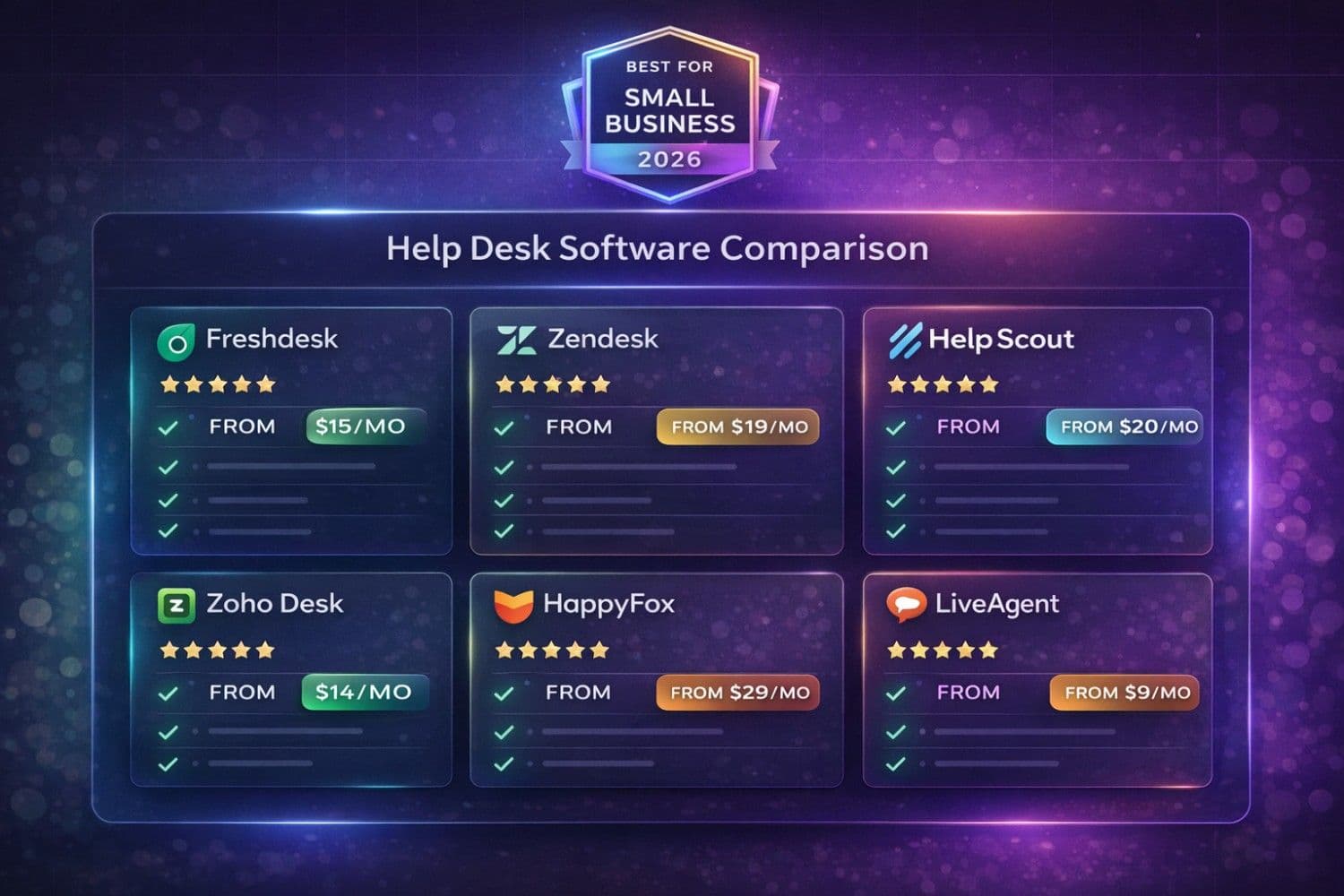
Quick Answer: The best help desk software for small businesses in 2026 are Freshdesk (best overall, free plan available), Zendesk (best for scaling teams, from $19/agent/month), and HelpScout (best for email-first support, from $20/user/month). Small businesses using dedicated help desk software resolve tickets 42% faster, improve customer satisfaction scores by 35%, and reduce support costs by up to 50% compared to email-only support.
Providing exceptional customer support shouldn't require an enterprise budget. Yet too many small businesses still manage customer inquiries through scattered email inboxes, sticky notes, and spreadsheets—leading to lost tickets, slow responses, and frustrated customers.
The reality? 68% of customers will switch to a competitor after just one poor support experience (Salesforce, 2025). For small businesses operating in competitive Tier 1 markets like the US, UK, Canada, and Australia, every support interaction directly impacts revenue and reputation.
That's why choosing the right help desk software is one of the highest-ROI decisions a small business owner can make. Modern platforms offer AI-powered ticket routing, multi-channel support, knowledge base builders, and automation features—all at price points that start completely free.
I've helped over 50 small businesses implement customer support systems across the US, UK, Canada, and Australia. This guide covers everything you need to make the right choice in 2026.
Note
If you're already exploring AI across your operations, our comprehensive guide on how AI is transforming small business operations covers the complete picture—from marketing automation to financial planning and customer service.
Why Small Businesses Need Dedicated Help Desk Software
The True Cost of No Help Desk
Without a proper ticketing system, small businesses hemorrhage time and money:
| Problem | Impact Without Help Desk | With Help Desk Software |
|---|---|---|
| Lost customer emails | 23% of tickets lost or forgotten | 0% — every inquiry tracked |
| Duplicate responses | Multiple agents reply to same ticket | Collision detection prevents duplicates |
| No priority triage | All tickets treated equally | AI auto-prioritizes by urgency & value |
| Slow response times | 12+ hours average response | Under 2 hours with automation |
| No performance data | Zero visibility into support quality | Real-time dashboards & SLA tracking |
| Knowledge silos | Only specific staff know answers | Shared knowledge base for all agents |
| Monthly cost | $3,200-$8,500 in lost productivity | $0-$500/month for software |
For a small business with 500-2,000 monthly support inquiries, that's $38,400-$102,000 annually in preventable losses—easily justifying even the most premium help desk solution.
What Modern Help Desk Software Provides
A good help desk platform consolidates every customer interaction into a single system:
- Omnichannel inbox — Email, live chat, social media, phone, and WhatsApp in one place
- Ticket management — Assign, prioritize, categorize, and track every inquiry
- Automation rules — Auto-route tickets, send canned responses, escalate by SLA
- Knowledge base — Self-service articles that deflect 30-50% of common questions
- AI assistance — Smart suggestions, sentiment analysis, auto-categorization
- Reporting — Response times, resolution rates, CSAT scores, agent performance
- Collaboration — Internal notes, team assignments, approval workflows
Pro Tip
When building your knowledge base articles, use our Notes Generator to create structured, professional documentation quickly. Pair it with the Text Summarizer to condense complex processes into easy-to-follow guides for customers.
Top 8 Help Desk Software for Small Businesses (2026)
1. Freshdesk — Best Overall for Small Business
Best for: Small businesses wanting a powerful free tier with room to grow
Why #1: Freshdesk offers the most generous free plan in the help desk space—supporting unlimited agents with email ticketing, knowledge base, and basic automation. This makes it the ideal starting point for budget-conscious small businesses.
Key Features:
- Free plan for unlimited agents (email & social ticketing)
- AI-powered ticket classification and priority detection (Freddy AI)
- Omnichannel support (email, chat, phone, social, WhatsApp)
- Built-in knowledge base with SEO optimization
- SLA management with automatic escalation
- Marketplace with 1,000+ integrations
- GDPR, HIPAA, and SOC 2 compliant
Pricing:
| Plan | Price/Agent/Month | Best For |
|---|---|---|
| Free | $0 | Startups, solopreneurs |
| Growth | $15 | Small teams needing automation |
| Pro | $49 | Growing businesses with multiple channels |
| Enterprise | $79 | Large teams with advanced needs |
AI Capabilities:
- Freddy AI auto-suggests solutions from knowledge base
- Sentiment analysis to detect frustrated customers
- Smart ticket routing based on skill and workload
- Auto-categorization with 90%+ accuracy
Pros:
- Industry-leading free tier
- Incredibly intuitive interface — no training needed
- Scales from 1 to 500+ agents seamlessly
- Strong mobile app for on-the-go support
Cons:
- Advanced AI features only on Pro and Enterprise plans
- Phone channel requires add-on purchase on lower tiers
- Reporting customization limited on Growth plan
---
2. Zendesk — Best for Scaling Teams
Best for: Growing businesses planning to scale support operations significantly
Zendesk is the industry standard for customer support, with the most mature ecosystem and the deepest feature set. While its pricing starts higher than Freshdesk, the investment pays off as your team grows.
Key Features:
- Unified agent workspace with omnichannel views
- Advanced AI with Answer Bot and agent assist
- Robust API and 1,500+ marketplace integrations
- Custom ticket fields, forms, and workflows
- Multi-brand and multi-language support
- Advanced security (SOC 2, ISO 27001, FedRAMP)
Pricing: $19-$115/agent/month (Suite Team to Suite Enterprise)
AI Capabilities:
- Answer Bot deflects up to 30% of incoming tickets
- AI-powered agent suggestions during live conversations
- Predictive CSAT scoring
- Intent detection and automatic routing
Pros:
- Most comprehensive feature set in the market
- Best-in-class analytics and reporting
- Massive integration ecosystem
- Enterprise-grade security for regulated industries
Cons:
- Steeper learning curve than Freshdesk
- Can become expensive at scale ($55-115/agent on Pro/Enterprise)
- Complex pricing structure with add-ons
---
3. HelpScout — Best for Email-First Support
Best for: Service businesses, consultancies, and e-commerce companies where email is the primary support channel
HelpScout feels like a shared inbox rather than a traditional help desk—making it the easiest tool for teams transitioning from Gmail or Outlook.
Key Features:
- Shared inbox with collision detection
- Beacon — embeddable help widget for websites
- Docs — built-in knowledge base
- Customer profiles with complete interaction history
- AI summarization and drafting
- 100+ integrations including Shopify, HubSpot, Slack
Pricing: $20-$65/user/month (Standard to Plus)
AI Capabilities:
- AI Drafts — generates reply drafts based on conversation context
- AI Summarize — condenses long threads instantly
- AI Assist — improves tone, grammar, and clarity in real time
Pro Tip
Combine HelpScout's AI drafts with our Email Writer for specialized response templates and our Grammar Fix tool to ensure professional, error-free customer communications.
Pros:
- Simplest interface — zero learning curve
- Customers never see ticket numbers (feels personal)
- Excellent customer profiles and interaction tracking
- Outstanding 24/6 support from HelpScout team
Cons:
- Limited multi-channel support (email-centric)
- No built-in phone support
- Fewer integrations than Zendesk or Freshdesk
---
4. Zoho Desk — Best Value for Zoho Users
Best for: Businesses already using Zoho CRM, Books, or other Zoho apps
Zoho Desk offers exceptional value, especially for businesses invested in the Zoho ecosystem. Its tight integration with Zoho CRM provides complete customer context for every support interaction.
Key Features:
- Free tier for 3 agents
- Zia AI assistant for ticket analysis and suggestions
- Multi-department ticket management
- Blueprint — guided ticket resolution processes
- Native integration with entire Zoho suite (CRM, Books, Projects)
- Community forum builder
Pricing: Free (3 agents) → $7-$40/agent/month
AI Capabilities:
- Zia sentiment analysis and anomaly detection
- Auto-tag and auto-assign tickets
- AI-powered reply suggestions
- Predictive ticket volume forecasting
Pros:
- Unbeatable value at $7-14/agent for small teams
- Seamless Zoho ecosystem integration
- Robust free tier for micro-businesses
- Strong multi-department support
Cons:
- Interface can feel dated compared to competitors
- Best features locked behind higher tiers
- Less intuitive for non-Zoho users
---
5. HappyFox — Best for Workflow Automation
Best for: Process-driven businesses needing advanced automation without coding
HappyFox stands out with its powerful no-code automation engine, allowing small businesses to build sophisticated support workflows that rival enterprise implementations.
Key Features:
- Smart rules engine for complex automations
- Task management within tickets
- Asset management for IT help desks
- Multi-channel support (email, chat, phone, social)
- Custom ticket queues and views
- SLA management with multi-level escalation
Pricing: $29-$89/agent/month (Mighty to Enterprise Plus)
Pros:
- Most powerful automation builder in this price range
- Excellent for IT help desk use cases
- Built-in task and asset management
- Highly customizable workflows
Cons:
- No free tier available
- Higher starting price than alternatives
- Mobile app could be more polished
---
6. LiveAgent — Best for Live Chat Support
Best for: E-commerce and SaaS businesses where live chat and real-time support drive conversions
LiveAgent combines help desk ticketing with the fastest live chat widget on the market (loads in 2.5 seconds), making it ideal for businesses where real-time engagement directly impacts sales.
Key Features:
- Fastest live chat widget (2.5s load time)
- Built-in call center with IVR and call routing
- Universal inbox for all channels
- Gamification features for agent motivation
- Video chat support capability
- 220+ integrations
Pricing: Free (limited) → $9-$49/agent/month
Pros:
- Industry-leading live chat performance
- Built-in call center (rare at this price)
- Gamification boosts agent engagement
- Very competitive pricing
Cons:
- UI feels slightly dated
- AI features less advanced than Freshdesk/Zendesk
- Reporting could be more intuitive
---
7. Tidio — Best for E-commerce
Best for: Shopify, WooCommerce, and online retail businesses wanting chatbot + ticketing
Tidio specializes in e-commerce support, combining AI chatbots with help desk ticketing to automate order inquiries, returns, and product questions—the three biggest categories of e-commerce support volume.
Key Features:
- AI chatbot builder with e-commerce templates
- Live chat with visitor tracking
- Shopify, WooCommerce, and BigCommerce native integrations
- Visual chatbot flow builder (no coding)
- Order management within conversations
- Abandoned cart recovery automation
Pricing: Free (50 conversations/mo) → $29-$59/month
Pros:
- Purpose-built for e-commerce workflows
- AI chatbot handles 40-60% of common questions
- Seamless Shopify/WooCommerce integration
- Visual bot builder requires zero coding
Cons:
- Less suitable for non-e-commerce businesses
- Limited traditional ticketing features
- Conversation limits on lower tiers
---
8. Spiceworks — Best Free IT Help Desk
Best for: IT departments and MSPs needing a completely free, no-strings-attached help desk
Spiceworks offers a genuinely free help desk with no agent limits, no ticket limits, and no hidden upsells. It's ad-supported, which keeps costs at zero for small IT teams.
Key Features:
- Completely free — no limits on agents or tickets
- IT asset management integration
- Active Directory integration
- Custom ticket forms and rules
- Remote support sessions
- Community-driven knowledge base (400,000+ IT pros)
Pricing: 100% Free (ad-supported)
Pros:
- Truly free with no feature restrictions
- Built specifically for IT support
- Massive community for peer support
- Includes network monitoring tools
Cons:
- Ad-supported interface
- Limited multi-channel support
- Less polished UI than paid alternatives
- No AI features

Help Desk Software Feature Comparison
Feature Comparison: Head-to-Head
| Feature | Freshdesk | Zendesk | HelpScout | Zoho Desk | HappyFox | LiveAgent |
|---|---|---|---|---|---|---|
| Free Plan | ✅ Unlimited | ❌ | ❌ | ✅ 3 agents | ❌ | ✅ Limited |
| Starting Price | $15/agent | $19/agent | $20/user | $7/agent | $29/agent | $9/agent |
| AI Features | ⭐⭐⭐⭐⭐ | ⭐⭐⭐⭐⭐ | ⭐⭐⭐⭐ | ⭐⭐⭐⭐ | ⭐⭐⭐ | ⭐⭐⭐ |
| Live Chat | ✅ | ✅ | ✅ | ✅ | ✅ | ⭐⭐⭐⭐⭐ |
| Phone Support | Add-on | Built-in | ❌ | Built-in | Built-in | Built-in |
| Knowledge Base | ✅ | ✅ | ✅ | ✅ | ✅ | ✅ |
| Integrations | 1,000+ | 1,500+ | 100+ | 200+ | 50+ | 220+ |
| Mobile App | ⭐⭐⭐⭐⭐ | ⭐⭐⭐⭐ | ⭐⭐⭐⭐ | ⭐⭐⭐ | ⭐⭐⭐ | ⭐⭐⭐ |
| Best For | Overall | Scaling | Value | Automation | Live Chat |
How to Choose the Right Help Desk Software
Decision Framework
Answer these four questions to narrow down your ideal platform:
1. What's Your Primary Support Channel?
- Email-heavy → HelpScout or Freshdesk
- Live chat focus → LiveAgent or Tidio
- Multi-channel → Zendesk or Freshdesk
- IT/internal → Spiceworks or HappyFox
2. What's Your Budget Per Agent?
- $0 (free) → Freshdesk Free, Zoho Desk Free, or Spiceworks
- $7-20/agent → Zoho Desk, Freshdesk Growth, or LiveAgent
- $20-50/agent → HelpScout, Zendesk, or HappyFox
- $50+/agent → Zendesk Enterprise or Freshdesk Enterprise
3. How Many Support Agents Do You Have?
- Solo or 2-3 agents → HelpScout or Freshdesk Free
- 4-10 agents → Freshdesk Growth or Zoho Desk
- 10-25 agents → Zendesk or HappyFox
- 25+ agents → Zendesk or Freshdesk Pro/Enterprise
4. What Industry Are You In?
- E-commerce → Tidio or Freshdesk
- SaaS/Technology → Zendesk or HelpScout
- Professional Services → HelpScout or Freshdesk
- IT/Managed Services → Spiceworks or HappyFox
- Retail/Hospitality → LiveAgent or Freshdesk
Implementation Guide: Go Live in 14 Days
Week 1: Setup & Configuration
Days 1-2: Account Setup
- Create your help desk account and add agents
- Configure business hours and SLA targets
- Set up support email addresses (e.g., support@, help@, billing@)
- Import customer/contact data from your CRM or spreadsheets
Days 3-4: Channel Configuration
- Connect email accounts
- Install live chat widget on your website
- Link social media accounts (Facebook, Twitter/X, Instagram)
- Set up phone/WhatsApp channels if applicable
Days 5-7: Automation & Templates
- Create canned responses for top 20 common questions
- Set up auto-assignment rules based on topic or channel
- Configure SLA policies with escalation triggers
- Build basic automation workflows (auto-replies, tagging, routing)
Pro Tip
Use our Email Writer to craft professional canned response templates and our Paraphraser to create multiple variations of the same response so agents sound natural, not robotic.
Week 2: Knowledge Base & Launch
Days 8-10: Knowledge Base Creation
- Write articles for your top 30 most-asked questions
- Organize articles into categories (Getting Started, Billing, Troubleshooting)
- Add screenshots, videos, and step-by-step instructions
- Enable search and suggest functionality in your help widget
Days 11-12: Testing & Training
- Submit test tickets through every channel
- Train agents on the new system (most platforms need 2-4 hours)
- Review automation rules with real ticket scenarios
- Configure notifications and mobile app access
Days 13-14: Soft Launch & Monitor
- Go live with the new system
- Monitor ticket flow and automation triggers closely
- Gather agent feedback and adjust workflows
- Begin tracking key metrics (response time, resolution time, CSAT)
Warning
Don't disable your existing email support before confirming every channel is routing correctly in your new help desk. Run both systems in parallel for at least 48 hours to catch any missed tickets.
Use our Todo List Generator to create detailed implementation checklists for each phase and assign tasks to team members.
Pricing Deep Dive: What Will You Actually Pay?
Real-World Monthly Costs by Team Size
| Platform | 2 Agents | 5 Agents | 10 Agents | 20 Agents |
|---|---|---|---|---|
| Freshdesk Free | $0 | $0 | $0 | $0 |
| Freshdesk Growth | $30 | $75 | $150 | $300 |
| Zendesk Suite Team | $38 | $95 | $190 | $380 |
| HelpScout Standard | $40 | $100 | $200 | $400 |
| Zoho Desk Standard | $14 | $35 | $70 | $140 |
| HappyFox Mighty | $58 | $145 | $290 | $580 |
| LiveAgent Small | $18 | $45 | $90 | $180 |
| Spiceworks | $0 | $0 | $0 | $0 |
ROI Calculation
For a 5-agent small business handling 1,000 tickets/month on Freshdesk Growth ($75/month):
Annual Software Cost: $900
Annual Savings:
- Reduced ticket handling time (35% faster resolution): $12,000
- Knowledge base deflection (30% ticket reduction): $8,400
- Eliminated lost tickets (prevent 23% ticket loss): $6,500
- Improved CSAT driving repeat business: $15,000-25,000
Conservative Annual ROI: $41,900 - $51,900 (46x-57x return)
AI Features Transforming Customer Support in 2026
The AI Revolution in Help Desks
AI is no longer a premium add-on—it's becoming standard across all help desk platforms. Here's how AI is transforming small business support:
AI-Powered Ticket Routing:
Incoming tickets are automatically categorized, prioritized, and assigned to the right agent based on topic, language, sentiment, and agent expertise. Small businesses using AI routing report 40% faster first-response times.
Intelligent Response Suggestions:
AI analyzes the ticket content and suggests relevant knowledge base articles, canned responses, or draft replies. Agents spend less time searching for answers and more time adding personal touches.
Sentiment Analysis:
AI detects frustrated, angry, or at-risk customers in real time, automatically escalating high-emotion tickets to senior agents or managers before situations escalate.
Predictive Analytics:
AI forecasts ticket volume, identifies trending issues, and predicts staffing needs—allowing small businesses to plan proactively rather than reactively.
Self-Service AI Chatbots:
Modern chatbots handle 30-60% of common inquiries without human intervention, providing instant 24/7 responses while reducing agent workload.

AI-Powered Help Desk Features
Note
For a deeper look at how AI is reshaping business operations beyond customer support—including HR, marketing, and finance—check out our guide on AI HR software solutions for small businesses.
Compliance & Security Considerations for Tier 1 Markets
Small businesses in the US, UK, Canada, and Australia must ensure their help desk software meets specific compliance requirements:
United States:
- CCPA/CPRA compliance for California customers
- HIPAA compliance for healthcare businesses
- SOC 2 Type II for data security assurance
- ADA accessibility requirements for help centers
United Kingdom:
- GDPR data processing agreements
- ICO registration for customer data handling
- UK-GDPR specific data residency options
- Accessibility regulations (WCAG 2.1 AA)
Canada:
- PIPEDA compliance for personal information
- CASL requirements for automated email responses
- Provincial privacy law variations (Quebec Law 25)
- Bilingual support requirements (French/English)
Australia:
- Australian Privacy Act compliance
- Notifiable Data Breaches scheme requirements
- Consumer Data Right (CDR) readiness
- ACSC Essential Eight security framework
Freshdesk, Zendesk, and HelpScout all meet these requirements out of the box. Zoho Desk and HappyFox are also compliant, though may require additional configuration for HIPAA.
Common Mistakes When Choosing Help Desk Software
Mistake 1: Over-Buying Features You Don't Need
Many small businesses purchase enterprise-tier plans for features they'll never use. Start with the free or lowest tier and upgrade only when you hit specific limitations. Most teams thrive on mid-tier plans.
Mistake 2: Ignoring the Agent Experience
If your support agents find the tool frustrating, they'll revert to email. Always have your agents test the platform during the free trial—their input matters more than feature checklists.
Mistake 3: Skipping Knowledge Base Setup
A well-built knowledge base deflects 30-50% of tickets automatically. Skipping this step means you're leaving the biggest ROI on the table. Invest time upfront in writing quality self-service articles.
Mistake 4: Not Setting Up Automation from Day One
Automation isn't a"phase 2" feature—it's foundational. Even basic auto-assignment and canned responses save hours in the first week. Configure at least 5-10 automation rules before go-live.
Mistake 5: Choosing Based on Price Alone
The cheapest tool isn't always the best value. Consider total cost including setup time, training, and ongoing management. A $15/agent tool that saves 10 hours/week is far more valuable than a free tool that saves 2 hours.
---
Supercharge your customer support with these free ToolNova tools:
- Email Writer – Craft professional support response templates
- Notes Generator – Build structured knowledge base articles
- Grammar Fix – Ensure error-free customer communications
- Text Summarizer – Summarize long ticket threads quickly
- Paraphraser – Create varied canned response alternatives
- Todo List Generator – Build implementation checklists for your team
Need help rewriting or polishing your text?
Use ToolNova’s 100% free Paraphraser & Grammar Checker. No signup required.