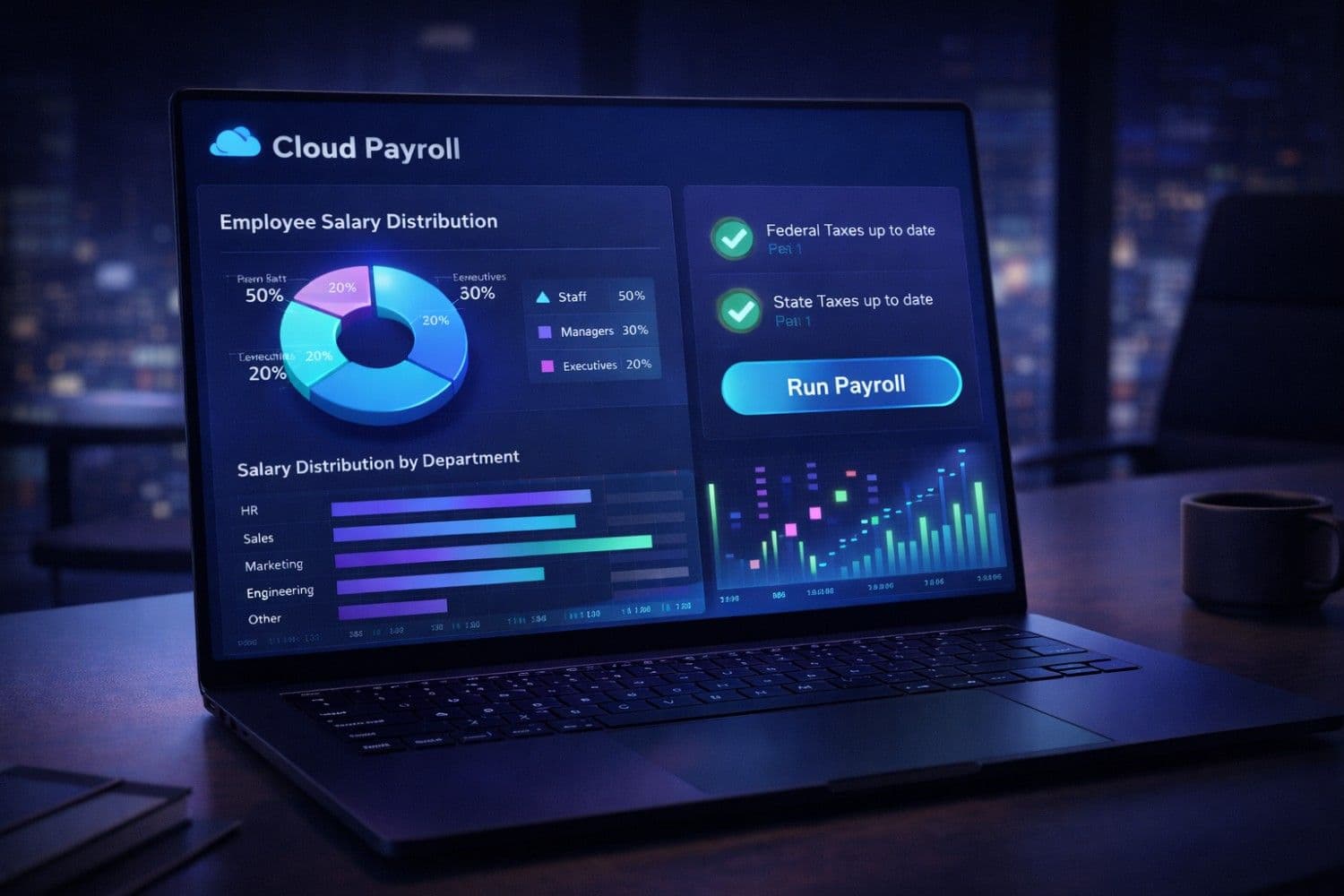
The global payroll software market is projected to reach $15.3 billion by 2030, growing rapidly as strict labor laws and remote work compliance become too complex for manual spreadsheets. In the United States, United Kingdom, Canada, Australia, and Germany, small business owners spend an average of 5 hours per pay period manually calculating taxes and processing payroll—time that should be spent growing the business.
Worse, the IRS estimates that 40% of small businesses pay an average penalty of $845 per year for late or incorrect payroll tax filings. Choosing the right cloud payroll software isn't just about saving time; it's about shifting the legal and financial liability of tax compliance entirely to a software provider.
With over 50 platforms competing for your business, choosing the wrong payroll software can lead to botched W-2s, angry employees, and stiff IRS penalties. This expert guide cuts through the marketing noise with in-depth reviews of the 8 best payroll software solutions for small businesses in 2026, complete with transparent pricing, feature comparisons, and a step-by-step buyer's guide.
Important
Quick Answer: For most small businesses (1–50 employees), Gusto ($40/mo + $6/user) offers the best balance of simplicity, modern UI, and automated tax compliance. For businesses already using Intuit products, QuickBooks Payroll provides seamless accounting integration. For niche industries like agriculture, restaurants, or highly tipped workers, OnPay is the gold standard.
Note
If you're also evaluating AI tools to handle HR queries or automate financial communications alongside your payroll rollout, our guide on How AI is Transforming Small Business Operations covers the top AI platforms for finance teams.
What Is Cloud Payroll Software?
Cloud payroll software is a digital platform that automates the entire process of paying employees and contractors. It calculates gross wages, automatically deducts federal, state, and local taxes, handles benefits deductions, processes direct deposits, and automatically files necessary tax forms (like W-2s and 1099s) with government agencies.
Manual Payroll vs. Cloud Payroll Software
| Feature | Manual/Spreadsheet Payroll | Cloud Payroll Software |
|---|---|---|
| Tax Calculations | Manual, highly error-prone | 100% automated, guaranteed |
| Tax Filing | Manual submission, risk of late fees | Automatic electronic filing |
| Direct Deposit | Complex bank setup | Built-in, next-day or same-day |
| W-2 / 1099 Creation | Manual generation | Auto-generated and distributed |
| Employee Self-Service | None (HR prints paystubs) | Mobile app for paystubs & W-2s |
| Time Tracking | Separate disconnected system | Built-in or seamlessly integrated |
| Benefits Administration | Managed via spreadsheets | Unified with payroll deductions |
| Compliance Updates | Manual research required | Handled automatically by vendor |
Pro Tip
Need to write a memo explaining a new payroll system rollout to your employees? Use our Email Writer to draft professional, clear communication, and our Grammar Fix tool to ensure it's perfectly polished before sending.
Why Small Businesses Are Abandoning Manual Payroll in 2026
The Hidden Cost of Manual Payroll
Small businesses in Tier 1 markets that switch to automated payroll software report:
- 18 hours saved per month previously spent on manual calculations and ledger updates
- 100% elimination of tax penalty fees through vendor error-free guarantees
- 3x faster employee onboarding through digital self-service portals
- Significant reduction in HR tickets as employees access paystubs via mobile app
Key Features That Drive ROI for Small Businesses
1. Full-Service Automated Tax Filing
The most critical feature. The software automatically calculates, deducts, pays, and files all federal, state, and local payroll taxes. If the software makes a calculation error that results in a penalty, the vendor pays the fine.
2. Employee Self-Service Portals
Employees receive access to a mobile app or web dashboard where they can view paystubs, download W-2s, request time off, and update their direct deposit information without bothering the business owner.
3. Next-Day and Same-Day Direct Deposit
Modern platforms allow businesses to run payroll right up until the day before (or even the day of) payday, providing significant cash flow flexibility for small business owners.
4. Contractor (1099) Support
Many businesses rely heavily on freelancers. The best software handles both W-2 employees and 1099 contractors in the same run, automatically generating and filing 1099-NEC forms at year-end.
5. Seamless Accounting Integrations
Payroll shouldn't exist in a vacuum. Native integrations with Xero, FreshBooks, or QuickBooks automatically map payroll runs to your general ledger, saving hours of manual data entry.

A sleek visual comparison showing a stressed small business owner surrounded by tax paperwork and calculators on one side, versus a relaxed owner using a clean digital tablet with automated wage and compliance graphs on the other side.
Best Payroll Software for Small Business: 2026 Comparison
Quick Comparison Table
| Platform | Best For | Base Price | Per Employee | Key Differentiator |
|---|---|---|---|---|
| Gusto | Small businesses & startups | $40/mo | $6/mo | Unbeatable UI and ease of use |
| QuickBooks Payroll | Current QuickBooks users | $45/mo | $6/mo | Flawless accounting integration |
| OnPay | Restaurants & niche industries | $40/mo | $6/mo | Deep industry-specific compliance |
| Rippling | Fast-scaling tech companies | $35/mo | $8/mo | Best IT & global payroll unified |
| ADP Run | Growing SMBs | Custom | Custom | Deepest HR resources |
| Paychex Flex | Complex compliance needs | $39/mo | $5/mo | Dedicated HR professionals |
| Square Payroll | Retail & shift workers | $35/mo | $6/mo | Native POS & tipping integration |
| Deel | International teams | $49/mo | Custom | Best Employer of Record (EOR) |
---
1. Gusto — Best Overall for Small Businesses
Gusto has fundamentally changed small business payroll by taking a process that used to look like a green-screen terminal and making it as intuitive as a modern consumer app. With over 300,000 businesses on the platform, Gusto strikes the perfect balance between powerful automated tax compliance and exceptional ease of use.
Why Small Businesses Love Gusto:
- Incredibly intuitive UI — requires zero payroll experience to run
- Full-service tax compliance — files local, state, and federal taxes automatically
- AutoPilot payroll — runs regular salaried payroll completely hands-off
- Excellent employee onboarding — fully digital state/federal form signing
- Built-in benefits administration — manage health, 401(k), and workers' comp in one place
Pricing:
- Simple: $40/mo + $6/employee/mo — includes full tax filing, basic support
- Plus: $80/mo + $12/employee/mo — adds next-day direct deposit, time tracking, multi-state
- Premium: Custom pricing — dedicated support, HR resource center
- *Contractor Only:* $0 base + $6/contractor/month
Best For: Startups, professional services, agencies, and any small business with 1–50 employees that values user experience and simplicity.
Pro Tip
Before onboarding a new hire, use our Resume Bullets and Interview Generator tools to build a robust hiring workflow. Then, let Gusto handle the tax paperwork.
---
2. QuickBooks Payroll — Best for Current QuickBooks Users
QuickBooks Payroll (by Intuit) is the logical choice for the millions of small businesses already using QuickBooks Online for accounting. Because it's built into the same platform, every payroll run instantly updates your general ledger, eliminating the need to sync third-party applications.
Why Small Businesses Love QuickBooks Payroll:
- Seamless accounting sync — zero manual journal entries required
- Fast direct deposit — next-day or even same-day direct deposit on higher tiers
- Penalty protection — Intuit pays fines up to $25k if they make a tax filing error (Elite tier)
- Time tracking integration — natively integrates with QuickBooks Time (formerly TSheets)
- Mobile app — robust mobile app for owners to run payroll on the go
Pricing:
- Core: $45/mo + $6/employee/mo — full service payroll, next-day direct deposit
- Premium: $80/mo + $8/employee/mo — adds same-day deposit, HR support, time tracking
- Elite: $125/mo + $10/employee/mo — adds tax penalty protection, expert setup
Best For: Small businesses heavily invested in the Intuit ecosystem and those requiring same-day direct deposit for cash flow management.
---
3. OnPay — Best for Restaurants & Niche Industries
While Gusto and QuickBooks target the general market, OnPay excels at handling complex, niche payroll scenarios that break other software—specifically restaurants (complex tipping/minimum wage calculations), agriculture (H-2A visas), and nonprofits (distinct tax statuses).
Why Small Businesses Love OnPay:
- No hidden fees — one flat, transparent price that includes everything
- Expert setup included — they migrate your prior wage data for free
- Industry specialty — flawlessly handles restaurant tip pooling and FICA tip credits
- Multi-state payroll included — no extra fees for employees in different states
- Six levels of user permissions — granular control for managers and accountants
Pricing:
- Base Fee: $40/month
- Per Employee: $6/month
- *No hidden fees for W-2 creation, multi-state, or integrations.*
Best For: Restaurants, farms, nonprofits, churches, and any small business with complex tipping, varying pay rates, or unique tax-exempt statuses.
---
4. Rippling — Best for Fast-Scaling Tech Companies
Rippling is a platform designed for companies that are growing out of the"small business" phase and entering the mid-market. It uniquely combines HR, Payroll, and IT management into one platform. When you hire someone in Rippling, it doesn't just put them on payroll—it ships them a configured laptop, creates their Google Workspace email, and adds them to the correct Slack channels.
Why Small Businesses Love Rippling:
- Unified HR & IT — massive time savings on employee onboarding/offboarding
- Global payroll — pay US employees and international contractors natively
- Workflow automation — create custom triggers (e.g., if employee promoted, trigger 5 actions)
- Incredible reporting — the most powerful custom report builder on the market
- Modular system — add device management or app management as you scale
Pricing:
- Platform Fee: Starts at $35/month
- Per User: Starts at $8/month (pricing scales based on modules selected)
Best For: Fast-growing startups and tech companies (20–500+ employees) that need to tightly integrate HR, payroll, and IT hardware/app provisioning.
Note
Scaling your team globally? If you are writing job descriptions for international candidates, run them through our Grammar Fix and Text Simplifier tools to ensure clarity across non-native English speakers.
---
5. ADP Run — Best for Growing SMBs Needing Hardcore HR
ADP is the largest payroll provider in the world. RUN by ADP is their platform specifically built for businesses with 1 to 49 employees. While the interface isn't as modern as Gusto or Rippling, ADP offers deep, enterprise-level HR resources and risk management tools that smaller startups can't match.
Why Small Businesses Love ADP Run:
- Unmatched reliability — the most battle-tested payroll engine in the world
- HR Pro support — access to dedicated HR professionals and legal compliance teams
- ZipRecruiter integration — seamless hiring and onboarding flow
- Extensive partner network — integrates with virtually every POS, accounting, and time system
- Scalability — you will never outgrow ADP
Pricing:
- Custom Pricing Only — typically starts around $60/mo + $4/employee depending on promotional offers and negotiated rates.
Best For: Established small businesses that prioritize stability, need intense HR and compliance support, and prefer negotiating enterprise-style contracts.
---
6. Paychex Flex — Best for Complex Compliance Needs
Similar to ADP, Paychex is a legacy giant that has successfully modernized its platform with Paychex Flex. It is exceptionally strong in compliance, making it ideal for businesses in highly regulated states (like California or New York) or industries with complex workers' compensation rules.
Why Small Businesses Love Paychex Flex:
- Dedicated payroll specialist — you get a specific human to call (not a generic queue)
- Compliance powerhouse — handles complex state labor laws better than modern startups
- Flexible payment options — supports direct deposit, paper checks, and pay cards
- Robust employee benefits — massive network of 401(k) and health insurance options
- Learning management — built-in compliance training for employees
Pricing:
- Essentials: $39/mo + $5/employee/mo
- Select & Pro tiers: Custom pricing
Best For: Blue-collar businesses, manufacturing, construction, and companies operating in states with highly complex and punitive labor laws.
---
7. Square Payroll — Best for Retail & Shift Workers
For retail shops, cafes, and salons already using Square to process payments, Square Payroll is a no-brainer. It seamlessly integrates tips, shifts, and timecards directly from the POS hardware straight into the payroll engine.
Why Small Businesses Love Square Payroll:
- Native POS integration — timecards and tips sync instantly
- Cash App integration — employees can get paid instantly to their Cash App accounts
- Transparent pricing — no hidden fees for multi-state or tax filings
- Contractor-only option — zero base fee if you only pay contractors
- Ease of use — familiar interface for anyone who already uses Square POS
Pricing:
- Full Service: $35/mo + $6/employee/mo
- Contractor Only: $0 base + $6/contractor/month
Best For: Coffee shops, boutiques, salons, and any small business already utilizing Square's point-of-sale hardware ecosystem.
---
8. Deel — Best for International Teams & Remote Work
In 2026, small businesses are increasingly hiring global talent. Deel is an Employer of Record (EOR) and global payroll provider that allows you to legally hire and pay employees or contractors in over 150 countries without setting up foreign corporate entities.
Why Small Businesses Love Deel:
- Global compliance — compliantly hire talent in 150+ countries
- Multiple currencies — pay contractors in their preferred local currency
- Unified dashboard — view US W-2 employees alongside international contractors
- Visa support — built-in immigration and visa sponsorship services
- Expense management — easy reimbursement across global borders
Pricing:
- Contractors: $49/contractor/month
- EOR (Full Employees): Starts at $599/employee/month
- Global Payroll (Own Entity): Custom pricing
Best For: Remote-first companies, digital agencies, and startups hiring engineering and support talent internationally.
How to Choose the Right Payroll Software: Buyer's Guide
Step 1: Count Your True Employee Types
Not all software handles all workers equally. Before locking into a contract, audit your workforce:
- Are they W-2 employees or 1099 contractors?
- Do you operate in one state, or remote across multiple states?
- Do you have tipped workers? (If yes, look closely at OnPay or Square).
Step 2: Audit Your Integration Needs
Payroll software is most effective when it talks to your existing tech stack. Ensure your chosen vendor has native (not Zapier) integrations with:
- Your Accounting Software: (e.g., Xero, QuickBooks)
- Your Time Tracking Software: (e.g., Deputy, Clockify, When I Work)
- Your Point of Sale: (e.g., Toast, Square, Lightspeed)
Step 3: Check Penalty Protection Policies
The defining feature of cloud payroll is tax compliance. Look closely at the"Error Guarantee." Good vendors (like Gusto or QuickBooks) will explicitly state: *"If we make a tax calculation or filing error, we pay the resulting IRS penalty."* If a vendor does not offer this, look elsewhere.
Step 4: Evaluate the Setup Process
Migrating wage data mid-year is notoriously difficult. Ask vendors if they provide"white-glove setup." Companies like OnPay and Gusto will take your raw reports from your old provider and key them into the new system for you at no extra cost.
Caution
Avoid switching payroll software in the middle of a fiscal quarter. The absolute best time to switch payroll software is January 1st to ensure clean W-2 reporting. The second best time is the first day of a new quarter.
Frequently Asked Questions
Is it difficult to switch payroll software mid-year?
It is challenging but very common. You must provide your new vendor with Year-to-Date (YTD) payroll history for every employee so that tax caps (like FUTA and FICA) are calculated correctly for the remainder of the year. Many major vendors offer free data migration services to handle this complexity for you.
Can I run payroll for just one person?
Yes. If you run an S-Corp and are the sole employee, you must run"reasonable compensation" payroll for yourself. Platforms like Gusto and OnPay support single-employee payrolls flawlessly, though you still pay the monthly platform base fee.
Do I need a separate HR system?
For most businesses under 50 employees, modern payroll software acts as a sufficient HRIS (Human Resources Information System). Platforms like Gusto, Rippling, and Paychex handle document signing, PTO tracking, org charts, and benefits administration natively alongside payroll.
Conclusion
Choosing the right payroll software removes one of the most stressful administrative burdens of running a small business.
- If you want the absolute easiest process and modern UI, choose Gusto.
- If you use QuickBooks Online and want flawless ledger syncing, choose QuickBooks Payroll.
- If you run a restaurant or niche industry business, choose OnPay.
- If you are scaling a remote tech team globally, choose Rippling or Deel.
Stop wasting hours on manual tax calculations. Adopt cloud payroll in 2026 and get back to actually running your business.
---
Supercharge your HR processes with ToolNova's free tools:
- Interview Generator – Instantly generate tailored interview questions for your next hire.
- Cover Letter Writer – Need to apply for a business loan? Generate a professional cover letter fast.
- Age Calculator – Verify age compliance quickly for new hires in regulated industries.
- Merge PDF – Combine employee contracts, NDAs, and W-4s into single personnel files.
- Word Counter – Ensure your job descriptions hit the optimal length for LinkedIn and Indeed.
Need help rewriting or polishing your text?
Use ToolNova’s 100% free Paraphraser & Grammar Checker. No signup required.