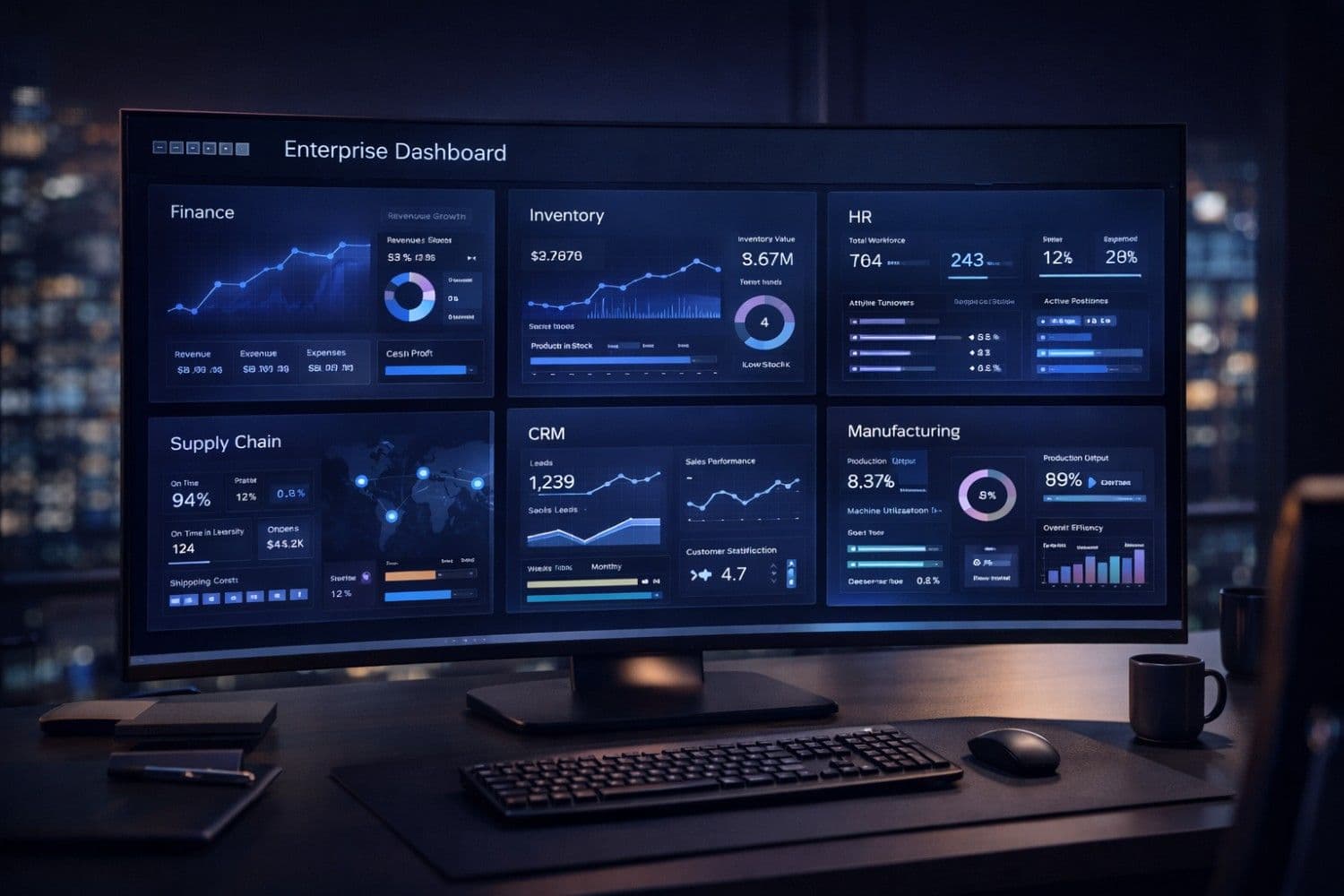
The global ERP software market is projected to reach $101.4 billion by 2026, growing at 9.6% CAGR—and for good reason. Businesses in the United States, United Kingdom, Canada, Australia, and Germany that implement a well-chosen enterprise resource planning (ERP) system report an average 25% reduction in operational costs, 40% faster financial close cycles, and dramatic improvements in data visibility across every department.
Yet choosing the wrong ERP system—or implementing it poorly—is one of the most expensive technology mistakes a business can make. Failed ERP implementations have cost large enterprises hundreds of millions of dollars, and mid-market companies frequently overspend by 60–80% of their original budget projections.
This comprehensive ERP software guide gives you the framework, vendor comparisons, pricing data, and decision criteria you need to choose the right enterprise resource planning system in 2026—whether you're a 20-person manufacturing firm in Ohio or a 500-person distribution company in London.
Important
Quick Answer: For large enterprises, SAP S/4HANA and Oracle Fusion Cloud are the gold standards. For mid-market businesses ($10M–$500M revenue), Microsoft Dynamics 365 and NetSuite offer the best balance of power and usability. For SMBs and startups, Odoo provides an open-source, modular ERP at a fraction of enterprise pricing.
Note
If your business is also evaluating AI tools for content, reporting, and communications alongside your ERP rollout, our guide on How AI is Transforming Small Business Operations covers the AI platforms that integrate seamlessly with modern ERP systems.
What Is ERP Software? (Enterprise Resource Planning Explained)
Enterprise Resource Planning (ERP) software is an integrated business management platform that connects all core business functions—finance, accounting, human resources, supply chain, inventory, manufacturing, procurement, sales, and customer service—into a single unified system with a shared database.
Instead of your accounting team using QuickBooks, your warehouse team using a separate inventory system, your HR team using another HR tool, and your sales team using a disconnected CRM, an ERP brings everything into one integrated platform where data flows automatically between departments.
How ERP Software Works
At its core, ERP software operates through a central database that all departments read from and write to simultaneously. When a salesperson closes a deal in the CRM module, the order automatically flows to the inventory module (triggering stock allocation), the finance module (generating an invoice), the procurement module (triggering a reorder if stock falls below threshold), and the logistics module (scheduling shipment).
This real-time data synchronization eliminates the manual data re-entry, spreadsheet silos, and reporting delays that cost mid-size businesses an average of $1.5 million per year in productivity losses (IDC, 2025).
Core ERP Modules
| Module | Function | Business Benefit |
|---|---|---|
| Financial Management | GL, AR, AP, budgeting, financial reporting | Real-time financial visibility, faster close |
| Human Resources | Payroll, benefits, talent, performance | Reduce HR admin by 30–50% |
| Supply Chain Management | Procurement, supplier management, purchasing | Cut procurement costs by 10–20% |
| Inventory & Warehouse | Stock tracking, picking, shipping, receiving | Reduce inventory carrying costs by 15–25% |
| Manufacturing (MRP/MES) | BOM, production planning, shop floor | Improve OEE by 10–25% |
| CRM & Sales | Leads, quotes, orders, customer history | 20% faster quote-to-cash cycle |
| Project Management | Resource planning, timesheets, billing | Improve project margins by 10–15% |
| Business Intelligence | Dashboards, reports, forecasting | Replace 40+ manual spreadsheets |
Pro Tip
Before your ERP implementation, use our Text Summarizer to condense lengthy vendor proposals and RFP responses, and Essay Writer to draft your ERP requirements document and business case for stakeholders.
Why Businesses Invest in ERP Software in 2026
The Business Case Is Overwhelming
Businesses that successfully implement ERP software in Tier 1 markets report:
- 23% reduction in operational costs in the first 18 months
- 40% improvement in inventory accuracy through real-time stock tracking
- 50% faster financial reporting — monthly close that took 10 days now takes 4
- 35% reduction in procurement costs through automated purchasing workflows
- 28% improvement in on-time delivery rates through better production scheduling
- ROI achieved in 18–36 months for most mid-market implementations
The Aberdeen Group reports that companies using integrated ERP systems achieve 95% inventory accuracy versus 65% for companies relying on disconnected systems—a difference that directly impacts customer satisfaction, working capital requirements, and profitability.
The Hidden Cost of Not Having ERP
Many businesses underestimate what disconnected systems actually cost them:
- Manual data re-entry: Finance staff spending 30% of their time copying data between systems
- Reporting delays: Management making decisions with data that's 2–4 weeks old
- Inventory discrepancies: 15–20% of stock either over-ordered or under-ordered due to poor visibility
- Compliance risk: Manual processes create audit trail gaps that expose businesses to regulatory penalties
- Scaling limits: Businesses literally can't grow past a certain threshold without integrated systems
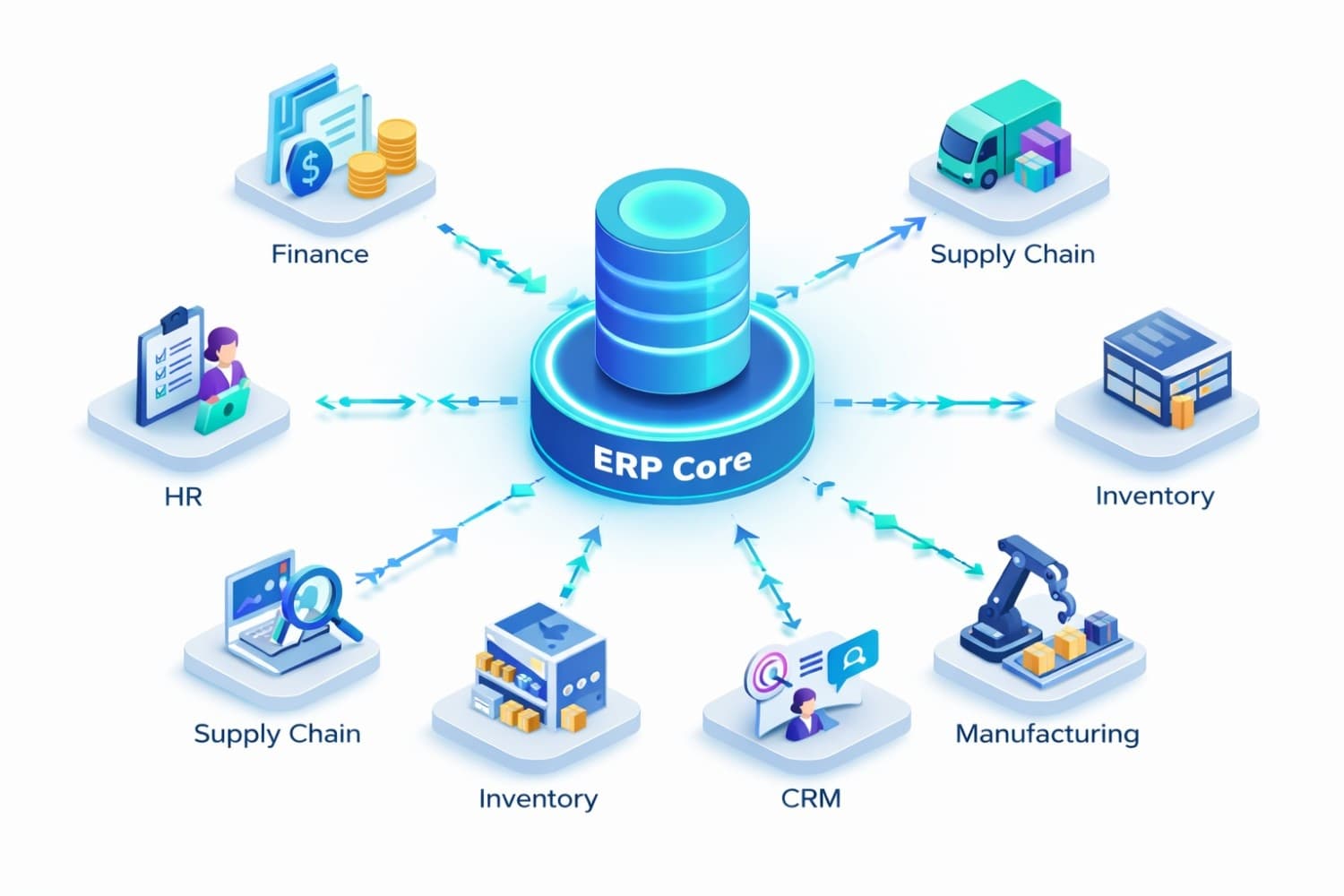
ERP software implementation dashboard showing connected modules for finance, HR, supply chain, and operations with real-time data flow visualization
Best ERP Software for 2026: Top Vendors Compared
Quick Comparison Table
| ERP System | Best For | Starting Price | Deployment | Implementation Time |
|---|---|---|---|---|
| SAP S/4HANA | Large enterprise | $1,800+/user/yr | Cloud & on-premise | 12–24 months |
| Oracle Fusion Cloud | Enterprise & finance-heavy | $625/user/mo | Cloud-native | 9–18 months |
| Microsoft Dynamics 365 | Mid-market, Microsoft shops | $70/user/mo | Cloud & hybrid | 4–12 months |
| NetSuite ERP | Mid-market, multi-entity | $999/mo base | SaaS/cloud | 3–6 months |
| Odoo | SMB, modular needs | Free (community) | Cloud & on-premise | 1–6 months |
| Epicor Kinetic | Manufacturing | Custom | Cloud & on-premise | 6–18 months |
| Infor CloudSuite | Industry-specific | Custom | Cloud-native | 6–18 months |
| Sage Intacct | Finance & accounting | $15,000+/yr | SaaS/cloud | 1–3 months |
---
1. SAP S/4HANA — Best for Large Enterprises
SAP S/4HANA is the world's most widely deployed enterprise ERP, with over 425 million users across 190 countries. Built on the in-memory HANA database, S/4HANA processes business transactions in real time, enabling instant financial reporting, live inventory visibility, and predictive analytics that smaller systems simply can't match.
Why Enterprises Choose SAP S/4HANA:
- Industry depth: Pre-built processes for 25+ industries (automotive, pharma, retail, oil & gas, banking)
- Global compliance: Built-in regulatory compliance for 100+ countries including GDPR, SOX, and local tax requirements
- AI-powered insights: SAP Business AI provides predictive cash flow, demand forecasting, and automated reconciliation
- Integration ecosystem: 10,000+ certified partner solutions and seamless integration with every major enterprise platform
- Scalability: Handles hundreds of millions of transactions per day without performance degradation
Pricing:
- RISE with SAP (cloud): ~$1,800–$3,500/user/year depending on modules and region
- On-premise: Traditional licensing + annual maintenance (~18–22% of license value)
- Implementation cost: $500,000–$5 million+ depending on business complexity
Best For: Manufacturers, retailers, and financial services firms with $500M+ revenue that need enterprise-grade compliance, multi-currency/multi-entity handling, and deep industry customization.
Note
SAP's total cost of ownership is significantly higher than mid-market alternatives. Always budget 2–3× the software license cost for implementation services and an additional 20% annually for ongoing support.
---
2. Oracle Fusion Cloud ERP — Best for Finance-Heavy Enterprises
Oracle Fusion Cloud ERP is SAP's primary competitor at the enterprise level, built cloud-native from the ground up with exceptional financial management capabilities. Oracle's AI-powered Financial Close and Consolidation module can reduce financial close time by up to 40%—a critical differentiator for multi-entity global businesses.
Why Enterprises Choose Oracle Fusion Cloud:
- Financial management excellence: Best-in-class GL, AR, AP, and treasury management
- AI-powered automation: Oracle Digital Assistant automates expense reports, invoice processing, and financial reconciliation
- EPM integration: Seamless connection to Oracle EPM (Enterprise Performance Management) for planning and forecasting
- Security: Oracle's multi-layer cloud security exceeds SOC 2 Type II, ISO 27001, FedRAMP, and GDPR requirements
- Regular updates: Quarterly cloud updates automatically deploy new features without costly upgrade projects
Pricing:
- Enterprise Edition: ~$625/user/month for core financials
- Industry-specific bundles: Available for healthcare, manufacturing, and professional services
- Implementation cost: $300,000–$3 million depending on scope
Best For: Financial services firms, holding companies, and enterprises with complex multi-entity, multi-currency reporting requirements.
---
3. Microsoft Dynamics 365 — Best for Mid-Market & Microsoft Environments
Microsoft Dynamics 365 is the fastest-growing ERP platform in the mid-market segment, combining powerful ERP capabilities with Microsoft's ecosystem (Azure, Teams, Power BI, Office 365) in a way no other vendor can match. For businesses already invested in Microsoft 365, Dynamics 365 creates a unified digital environment where ERP data flows directly into Excel, Power BI dashboards, and Teams channels.
Why Mid-Market Businesses Choose Microsoft Dynamics 365:
- Microsoft ecosystem: Native integration with Office 365, Teams, Azure, Power BI, and SharePoint
- Copilot AI: Microsoft's AI assistant for Dynamics generates reports, drafts emails, and automates data entry using natural language commands
- Flexible licensing: Mix and match apps—only pay for Finance, Supply Chain, Sales, or HR as needed
- Power Platform: No-code tools to build custom workflows, apps, and reports without developer resources
- Partner network: 7,000+ certified Microsoft partners globally for implementation support
Pricing:
- Dynamics 365 Finance: $180/user/month
- Supply Chain Management: $180/user/month
- Business Central (SMB): $70/user/month (full ERP for small businesses)
- Implementation cost: $50,000–$500,000 depending on complexity
Best For: Mid-market businesses ($10M–$500M revenue) with existing Microsoft infrastructure, and small businesses using Dynamics 365 Business Central.
Pro Tip
Use our Email Writer to draft requirements documents and vendor evaluation emails during your ERP selection process. Our Grammar Fix tool ensures your business case and ROI analysis documents are polished and professional.
---
4. NetSuite ERP — Best Cloud ERP for Mid-Market
NetSuite (owned by Oracle) is the world's most deployed cloud ERP, specifically engineered for mid-market businesses that need enterprise-grade functionality without enterprise-grade complexity. NetSuite's true multi-tenant SaaS architecture means all customers always run on the latest version—eliminating the costly upgrade cycles that plague on-premise ERP systems.
Why Mid-Market Businesses Choose NetSuite:
- No. 1 cloud ERP: Trusted by 37,000+ businesses in 219 countries
- True SaaS: Always current, automatic updates quarterly—no upgrade projects ever
- OneWorld: Manage multiple subsidiaries, currencies, and tax jurisdictions from one platform
- SuiteSuccess: Industry-specific pre-built configurations that accelerate implementation to 100 days
- Financial reporting: Real-time dashboards and GAAP/IFRS-compliant financial statements at any time
Pricing:
- Base license: ~$999/month platform fee
- User licenses: ~$99–$129/user/month
- Modules: Priced per module (Manufacturing, WMS, SuitePeople HR, etc.)
- Annual cost: Typically $40,000–$120,000/year for 10–50 user implementations
- Implementation cost: $25,000–$200,000 depending on complexity
Best For: Fast-growing businesses with multiple entities, e-commerce companies, professional services firms, and businesses planning international expansion.
---
5. Odoo — Best Open-Source ERP for SMBs
Odoo is the world's most popular open-source ERP, offering a complete suite of 30+ integrated applications covering ERP, CRM, e-commerce, project management, manufacturing, and more. For small and mid-size businesses in the $1M–$50M revenue range, Odoo provides enterprise-grade functionality at a fraction of the cost of SAP or Oracle.
Why SMBs Choose Odoo:
- Free Community Edition: Full-featured open-source version at zero software cost
- Modular approach: Start with accounting, add inventory, then CRM—pay only for what you use
- Odoo.sh (PaaS): Cloud hosting with automatic backups, staging environments, and CI/CD
- App ecosystem: 16,000+ apps in the Odoo marketplace for industry-specific extensions
- Modern UI: The best user experience of any ERP platform—designed to match consumer apps
Pricing:
- Community (open-source): Free forever—hosting and implementation costs only
- Enterprise (SaaS): ~$24.90/user/month (all apps included)
- Annual enterprise license: ~$8–$12/user/month on annual billing
- Implementation cost: $5,000–$50,000 for most SMB implementations
Best For: Manufacturing SMBs, e-commerce businesses, professional services firms, and any business with a budget under $50,000 for ERP implementation.
Important
When evaluating Odoo, factor in the implementation cost carefully. While the software is affordable, customizing Odoo for complex manufacturing workflows or multi-entity accounting can require significant developer time.
---
ERP Software Buyer's Guide: How to Choose the Right System
Step 1: Define Your Business Requirements
Before evaluating any vendor, document your requirements in four categories:
Must-Have (Core Requirements):
- Industries and regulatory compliance requirements (FDA 21 CFR Part 11, SOX, GDPR, etc.)
- Number of users and locations/subsidiaries
- Primary modules needed (finance, manufacturing, WMS, HR, CRM)
- Integration requirements with existing systems (Shopify, Salesforce, EDI, etc.)
- Reporting and BI requirements
Should-Have (Important Features):
- Mobile app capabilities
- Customer portal / supplier portal
- Advanced analytics and forecasting
- Multi-currency and multi-language support
- eCommerce integration
Nice-to-Have (Differentiators):
- AI-powered automation
- No-code workflow customization
- Industry-specific best practices libraries
Pro Tip
Use our Paraphraser to rewrite vendor-supplied RFP response templates into your own language, and our Essay Writer to structure your comprehensive ERP requirements document.
Step 2: Assess Your Technical Readiness
ERP implementations succeed or fail based on organizational readiness, not software features.
Checklist: Is Your Business Ready for ERP?
- [ ] Executive sponsorship confirmed (CEO/CFO committed to the project)
- [ ] Dedicated project manager assigned (internal resource)
- [ ] Clean, organized data in existing systems (dirty data = failed migration)
- [ ] Clear business processes documented (ERP doesn't fix broken processes)
- [ ] Change management plan in place (user adoption is #1 failure cause)
- [ ] Implementation budget confirmed (include 30% contingency buffer)
- [ ] IT infrastructure assessment completed (network, hardware, security)
Step 3: Choose Your Deployment Model
| Deployment | Description | Best For | Cost Profile |
|---|---|---|---|
| SaaS/Cloud | Vendor-hosted, subscription pricing | SMB to mid-market | Lower upfront, predictable monthly |
| Cloud (Private) | Your data in vendor's cloud, isolated environment | Enterprise, regulated industries | Medium upfront, monthly fee |
| On-Premise | Software installed on your servers | Regulated industries, data sovereignty requirements | High upfront, lower ongoing |
| Hybrid | Core in cloud, some modules on-premise | Complex enterprises | Variable |
For most businesses implementing ERP in 2026, SaaS/cloud deployment is the recommended default—it eliminates hardware costs, delivers automatic updates, enables remote access, and typically achieves go-live 50% faster than on-premise implementations.
Step 4: Plan Your Implementation Budget (Total Cost of Ownership)
ERP budgeting mistakes kill more implementations than software deficiencies. Here's a realistic TCO breakdown:
| Cost Category | Typical Range | Notes |
|---|---|---|
| Software License/Subscription | $20K–$500K/year | Based on users and modules |
| Implementation Services | 1–3× software cost | Consulting, configuration, training |
| Data Migration | $10K–$100K | Cleansing and migrating legacy data |
| Integration Development | $5K–$50K per integration | APIs to Shopify, Salesforce, EDI, etc. |
| Training | $1K–$5K/user | Power users, end users, admins |
| Change Management | 10–15% of total budget | Internal communications, process redesign |
| Post-Go-Live Support | $2K–$20K/month | 6–12 months of hypercare support |
Caution
The #1 budget mistake: Companies allocate 80% of their budget to software and 20% to implementation. Industry data shows the optimal split is 40% software / 60% implementation. Skimping on implementation services is the leading cause of ERP failure.
Step 5: Evaluate Vendors with a Structured RFP Process
A structured Request for Proposal (RFP) process protects you from vendor sales tactics and ensures you compare apples-to-apples across competitors.
RFP Evaluation Criteria:
- Functional fit (40%): Does the system handle your specific business processes out-of-the-box?
- Total cost of ownership (25%): Software + implementation + ongoing support over 5 years
- Vendor stability (15%): Financial health, customer base, product roadmap commitment
- Implementation partner quality (10%): The implementation partner matters more than the software
- User experience (10%): Can your employees actually use it without extensive training?
Note
For businesses evaluating AI-powered business tools alongside their ERP selection, our guide on ChatGPT vs Claude vs Gemini for Business helps you choose the right AI assistant to pair with your new ERP system.
ERP Implementation: The 6-Phase Success Framework
Phase 1: Discovery & Planning (4–8 Weeks)
- Document current business processes with all stakeholders
- Define future-state processes and identify gaps
- Finalize scope, timeline, and resource requirements
- Establish project governance and steering committee
Phase 2: System Configuration (8–16 Weeks)
- Configure ERP to match your documented business processes
- Build custom reports, dashboards, and workflows
- Configure security roles and permission structures
- Develop integrations with existing systems
Phase 3: Data Migration (4–8 Weeks, Parallel)
- Audit and cleanse legacy data (customers, vendors, products, GL history)
- Map data from old systems to new ERP data structures
- Run test migrations and validate data integrity
- Define go-forward data governance standards
Phase 4: Testing (4–6 Weeks)
- Unit testing: Individual module functionality
- Integration testing: Data flows between modules
- User acceptance testing (UAT): Business users validate real-world scenarios
- Performance testing: System performance under production-level load
Phase 5: Training & Change Management (4–6 Weeks)
- Train system administrators on configuration and maintenance
- Train power users on advanced features
- Train end users on day-to-day workflows
- Create quick reference guides and video tutorials
Phase 6: Go-Live & Hypercare (8–12 Weeks)
- Cutover from legacy to new ERP (typically over a weekend)
- Hypercare support: Vendor/implementation team available for immediate issues
- Monitor system performance and user adoption metrics
- Collect user feedback and prioritize post-go-live enhancements
Pro Tip
Use our Text Summarizer to condense lengthy ERP training documentation into quick reference cards that employees can use during go-live, and our Caption Generator to write clear, concise labels for training screenshots and process diagrams.
ERP Software ROI: What to Expect
Industry data from businesses that have completed successful ERP implementations in 2023–2025:
| Benefit Area | Average Improvement |
|---|---|
| Finance & Reporting | 40% faster financial close |
| Inventory Management | 25% reduction in carrying costs |
| Procurement | 12% reduction in purchasing costs |
| Manufacturing | 15% improvement in OEE |
| Customer Service | 20% improvement in order fulfillment speed |
| IT Costs | 30% reduction in IT infrastructure spending |
| Labor Productivity | 22% improvement in employee productivity |
Typical Payback Period:
- Small businesses (Odoo/Business Central): 12–18 months
- Mid-market (NetSuite/Dynamics 365): 18–30 months
- Enterprise (SAP/Oracle): 24–48 months
Common ERP Implementation Mistakes to Avoid
Mistake 1: Underestimating Change Management
70% of ERP failures are attributed to poor user adoption, not technical problems. Invest heavily in communication, training, and executive sponsorship before technical work begins.
Mistake 2: Customizing Too Much
Every customization increases implementation cost, extends timelines, and complicates future upgrades. Rule of thumb: if the standard functionality handles 80% of your needs, accept it and adjust your process for the remaining 20%.
Mistake 3: Inadequate Data Preparation
You cannot migrate dirty data into a clean system. Budget 2–3 months for data cleansing before go-live. Bad master data is the fastest path to a failed go-live.
Mistake 4: Choosing the Wrong Implementation Partner
The ERP vendor's software matters less than the implementation partner's methodology and expertise. A great partner with average software beats an average partner with great software every time.
Mistake 5: Going Live Without Enough Testing
User acceptance testing (UAT) must be comprehensive and involve actual business users running real-world scenarios with real data. Never compress UAT timelines to meet arbitrary go-live dates.
Note
Once your ERP is live, leverage our Email Writer tool to draft professional vendor communications, purchase orders, and supplier emails that integrate with your new ERP workflows. Our Grammar Fix tool ensures all automated ERP-generated communications are professionally written.
ERP Software: Industry-Specific Considerations
Manufacturing ERP
Manufacturing companies need ERP systems with strong MRP (Material Requirements Planning), MES (Manufacturing Execution System), and Quality Management modules. Key vendors: SAP S/4HANA Manufacturing, Epicor Kinetic, Infor CloudSuite Industrial. Minimum requirements include BOM management, production scheduling, shop floor data collection, and quality control workflows.
Retail & E-Commerce ERP
Retailers need seamless POS integration, omnichannel inventory management, and returns management capabilities. NetSuite with SuiteCommerce Advanced and Microsoft Dynamics 365 Commerce are the leading solutions for connected retail experiences.
Professional Services ERP
Service firms (consulting, legal, architecture) need strong project accounting, resource management, time & expense, and billing capabilities. Sage Intacct and Microsoft Dynamics 365 Project Operations are leading choices.
Healthcare ERP
Healthcare organizations must meet HIPAA compliance requirements and integrate with EHR/EMR systems. Oracle Fusion Cloud and Infor CloudSuite Healthcare provide the necessary compliance certifications and clinical integration capabilities.
Conclusion: How to Choose the Right ERP for Your Business
Choosing the right ERP software is one of the most consequential technology decisions your business will make. The right system, implemented well, delivers transformational improvements across finance, operations, and customer service. The wrong choice—or a botched implementation—can cost millions and set your business back years.
Here's the decision framework in summary:
- Large enterprise ($500M+ revenue): SAP S/4HANA or Oracle Fusion Cloud—accept the cost and complexity for global-scale capability
- Mid-market ($50M–$500M): Microsoft Dynamics 365 (if Microsoft-centric) or NetSuite (best pure-cloud option)
- SMB ($5M–$50M): Odoo (best value), NetSuite (if scaling rapidly), or Dynamics 365 Business Central
- Manufacturing-specific: Epicor Kinetic or Infor CloudSuite Industrial for deep manufacturing functionality
Whatever your choice, start by getting your requirements documented, your data cleaned, and your executive team aligned before you sign any software contracts. The most successful ERP implementations spend twice as long in planning as companies that rush to selection. That investment pays dividends for decades.
---
Boost your ERP project's communication and documentation with these free ToolNova tools:
- Email Writer – Draft professional vendor RFPs, stakeholder updates, and go-live announcements
- Essay Writer – Create comprehensive ERP business cases, requirements documents, and training materials
- Text Summarizer – Condense lengthy vendor proposals and RFP responses into clear summaries
- Grammar Fix – Polish ERP business case documents and stakeholder communications
- Paraphraser – Rewrite vendor templates and documentation in your company's voice
- Merge PDF – Combine ERP proposal documents, contracts, and vendor assessments
- Split PDF – Extract specific sections from lengthy ERP vendor contracts
Need help rewriting or polishing your text?
Use ToolNova’s 100% free Paraphraser & Grammar Checker. No signup required.